Recent Questions Hover Vertical Tree Menus Using Ajax
Q: Deluxe Tunes says:- “Use "File/Export to HTML" to see how to write the code within html page.”
If I use this the generate the code it places the
But if I look at your website code it looks as if it should be placed within the <Body> </body> tags
Can you confirm where this should be placed? As we are seeing the dmlinks before the page is displayed.
A: You should paste search engine friendly code into the <body> tag.
Q: I have seen menu like this when i scroll the page the manu will scroll follow.....can delux menu do that ?
If can how ?
A: You should use floatable feature.
You should set absolute coordinates for your menu
var absolutePos=1;
var posX="10px";
var posY="10px";
var floatable=1;
You should also check that you have dmenu_add.js file in the samefolder with dmenu.js.
Q: I am trying to follow your directions on how to load the application and I am completely lost as to what I need to do.
Do you have instructions on how operate the application; I am having a very difficult problem trying to maneuver around.
I am looking to create css vertical tabs, and the tabs are my personal images and I want to place html text into tabs.
A: To set your own images for tabs you should use the following
parameters (see how we created images in the attached example):
var bitemBackImage=["img/styleIE7_n_back.gif","img/styleIE7_o_back.gif","img/styleIE7_s_back.gif"];
var bbeforeItemImage=["img/styleIE7_n_left.gif","img/styleIE7_o_left.gif","img/styleIE7_s_left.gif"];
var bafterItemImage=["img/styleIE7_n_right.gif","img/styleIE7_o_right.gif","img/styleIE7_s_right.gif"];
You can also use a whole images for you tabs you should use only
var bitemBackImage=["img/styleIE7_n_back.gif","img/styleIE7_o_back.gif","img/styleIE7_s_back.gif"];
Set the dimensions of the menu here:
var bmenuWidth="600px";
var bmenuHeight="33px";
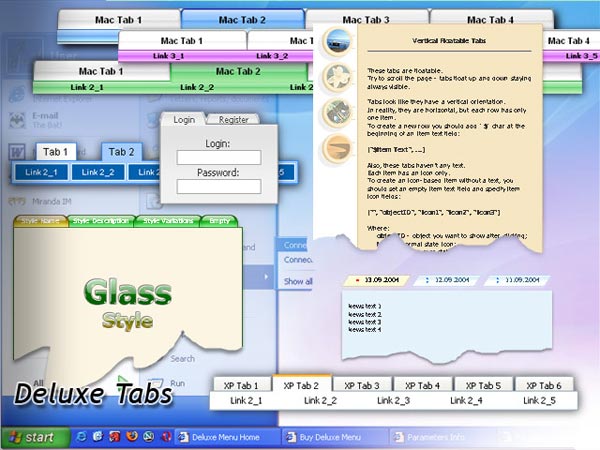
See in Deluxe Tabs there are two modes:
1. var tabMode=0;
You can create only one level of tabs and assign Object Id's of the
DIV's to show when you click on the tab.
["XP Tab 1","content1", "", "", "", "", "", "", "", ],
["XP Tab 2","content2", "", "", "", "", "", "", "", ],
["XP Tab 3","content3", "", "", "", "", "", "", "", ],
["XP Tab 4","content4", "", "", "", "", "", "", "", ],
2. var tabMode=1;
You can assign only links in this mode.
You should create top level items with subitems.
["XP Tab 1","", "", "", "", "", "", "", "", ],
["|Link 1_1","http://deluxe-tabs.com", "", "", "", "", "0", "", "", ],
["|Link 1_2","testlink.htm", "", "", "", "", "0", "", "", ],
["|Link 1_3","testlink.htm", "", "", "", "", "0", "", "", ],
["|Link 1_4","testlink.htm", "", "", "", "", "0", "", "", ],
["|Link 1_5","testlink.htm", "", "", "", "", "0", "", "", ],
["XP Tab 2","", "", "", "", "", "", "", "", ],
["|Link 2_1","testlink.htm", "", "", "", "", "0", "", "", ],
["|Link 2_2","testlink.htm", "", "", "", "", "0", "", "", ],
["|Link 2_3","testlink.htm", "", "", "", "", "0", "", "", ],
["|Link 2_4","testlink.htm", "", "", "", "", "0", "", "", ],
["|Link 2_5","testlink.htm", "", "", "", "", "0", "", "", ],
["XP Tab 3","", "", "", "", "", "", "", "", ],
["|Link 3_1","testlink.htm", "", "", "", "", "0", "", "", ],
["|Link 3_2","testlink.htm", "", "", "", "", "0", "", "", ],
["|Link 3_3","testlink.htm", "", "", "", "", "0", "", "", ],
["|Link 3_4","testlink.htm", "", "", "", "", "0", "", "", ],
["|Link 3_5","testlink.htm", "", "", "", "", "0", "", "", ],
You can use Object ID as well as Link in both modes. Use the following prefixes within item's link field:
"object:" - means that there is object id after it;
"link:" - means that there is a link after it.
"javascript:" - means that there is a javascript code after it, for example:javascript:alert(\'Hello!\')
So, you should write for example:
["|Link 1_1","object:Content1_1", "", "", "", "", "0", "", "", ],
Q: I'm trying the deluxe menu and I'm positively impressed.
But now I'm trying to simply use javascript to add some properties to my menu.
I modified the dynamic to 1
and I get only one error in the javascript monitor telling me:
Error: dm has no properties
Source File:
http://devel.discgolf-geneve.ch:8081/docroot/dg/js/menu/data.files/dmenu_dyn.js
Line: 8
A: Please, see how you should write this function:
function dm_ext_addItem (menuInd, submenuInd, iParams)
<script type="text/javascript" language="JavaScript1.2">
dm_ext_addItem(0, 0, ["Hello", "testlink.htm", "", "", "Hello", "_blank", "-1"]);
menuInd - index of a menu on a page, >= 0. (you have written menuInd=1, but if you have one menu on your page you should write 0).
You also have written itemStyleInd=1, but you have only one style in your menu. So you should write "0" or "-1".